Install IPTV Smarters Pro on Firestick
If you are looking for an easy and reliable way to watch live TV, movies, series, and sports on your Amazon Firestick, IPTV Smarters Pro is one of the best IPTV players available today. Although the app is not listed on the Amazon App Store, it can be installed easily using a few simple steps.
you will learn how to install IPTV Smarters Pro on Firestick step by step, along with useful tips for better performance and a smooth IPTV streaming experience.
What Is best IPTV player Smarters Pro?
IPTV Smarters Pro is a powerful IPTV player that allows users to stream content provided by their IPTV service. The app does not include any channels or media by default. Instead, it works with IPTV subscriptions using Xtream Codes API, M3U URL, or local playlist files.
Key Features of IPTV Smarters Pro
- Live TV, Movies, and TV Series support
- Built-in EPG (Electronic Program Guide)
- User-friendly interface optimized for Firestick
- Multi-screen and multi-user support
- Parental control options
- External video player compatibility
Why Use IPTV Smarters Pro on Firestick?
The Amazon Firestick is one of the most popular streaming devices worldwide. Installing IPTV Smarters Pro on Firestick offers several advantages:
- Smooth streaming experience
- Fast navigation with remote control
- High-quality playback (HD, Full HD, and 4K)
- Lightweight app with excellent performance
Requirements Before Installation
Before installing IPTV Smarters Pro on Firestick, make sure you have the following:
- Amazon Firestick or Fire TV device
- Stable internet connection
- Active IPTV subscription
- IPTV login details (Username, Password, Server URL)
Step 1: Enable Unknown Sources on Firestick
To install IPTV Smarters Pro, you must allow third-party apps.
- Go to Settings on your Firestick
- Select My Fire TV
- Click Developer Options
- Enable Apps from Unknown Sources
- Confirm by selecting Turn On
Step 2: Install Downloader App
The Downloader app allows you to download APK files directly to your Firestick.
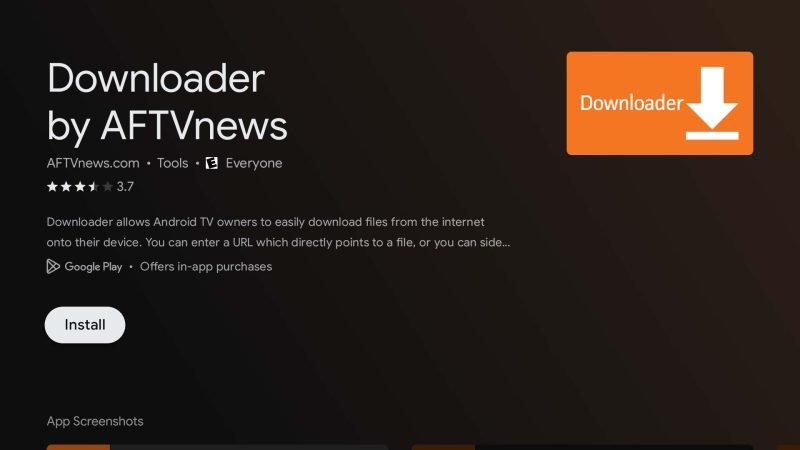
- From the Firestick home screen, select Find → Search
- Type Downloader
- Download and install the Downloader app
- Open Downloader and allow all permissions
Step 3: Download IPTV Smarters Pro APK
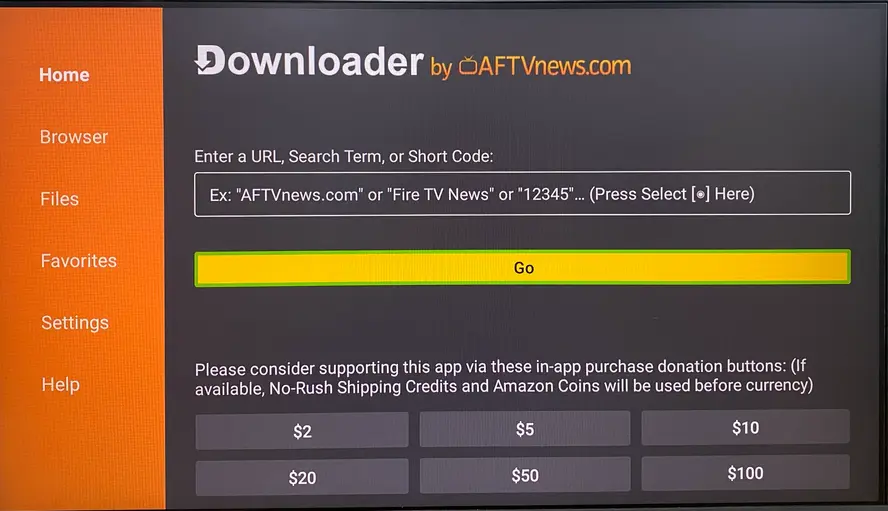
- Open the Downloader app
- Search for this code : 6468112
- Click Go
- Wait for the file to download
- Select Install when prompted
- Click Done after installation
- Delete the APK file to free up storage space
Step 4: Open IPTV Smarters Pro on Firestick
- Return to the Firestick home screen
- Go to Apps & Channels
- Find IPTV Smarters Pro
- Launch the app
Step 5: Log In to IPTV Smarters Pro
Once the app opens:
- Select Login with Xtream Codes API
- Enter your Username
- Enter your Password
- Enter your Server URL
- Click Add User
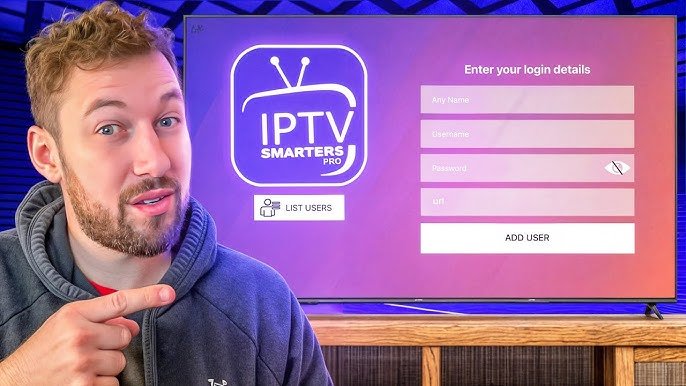
The app will automatically load live TV channels, movies, and series from IPTV provider.
Best Settings for IPTV Smarters Pro on Firestick
To improve performance and reduce buffering:
- Use a fast internet connection (minimum 15 Mbps)
- Restart Firestick regularly
- Clear app cache when needed
- Use an Ethernet adapter for better stability
- Optional: Use a VPN to avoid ISP throttling
Is IPTV Smarters Pro Legal?
IPTV Smarters Pro is 100% legal as a media player. However, the legality of the content depends on your IPTV service provider and local laws. Always use licensed and authorized IPTV services.
Common Issues and Fixes
IPTV Smarters Pro Not Working on Firestick
- Check internet connection
- Re-enter IPTV login details
- Update the app to the latest version
- Restart Firestick
Buffering Issues
- Reduce video resolution
- Change video player settings
- Use a wired connection
Conclusion
Installing IPTV Smarters Pro on Firestick is simple, fast, and effective. With its modern interface, powerful features, and excellent compatibility, IPTV Smarters Pro remains one of the best IPTV players for Firestick users in 2026. Follow this guide carefully and enjoy a premium IPTV streaming experience on your Fire TV device.